
Wedding City Limo Car Driving Simulator Game
Play Count0
Published2021-03-22
Supported DevicesPC
CategoryAdventure & RPG
Rating★★★★★5.0Rate this game
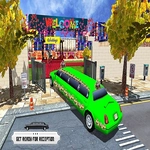
📝Wedding City Limo Car Driving Simulator Game Overview
Slip behind the wheel of a stretch limo and weave through city traffic to get the wedding party where they need to be.
💬What is Wedding City Limo Car Driving Simulator Game?
You haven't known stress until you've tried to three-point turn a stretch limo outside a church with a line of taxis honking behind you. That's exactly the kind of chaos this game throws at you from the first minute. You're the designated driver for a wedding, which means ferrying bridesmaids, groomsmen, and the occasional panicking mother-in-law across a surprisingly busy city. The controls are just the arrow keys — up to accelerate, down to brake or reverse, left and right to steer — but don't let that fool you. The limo is long, heavy, and handles like a boat on ice if you get cocky with the throttle.
I kept coming back because the missions aren't just 'drive here.' You'll have to parallel park outside a flower shop, navigate a narrow alley behind the reception hall, and beat a red light without clipping a food truck. One misjudged corner and the limo's rear end swings into a fire hydrant, sending water everywhere and failing the whole run. The city itself feels lived in: pedestrians ignore crosswalks, other cars brake unpredictably, and the minimap only gives you a vague idea of where to go next. That last part annoyed me at first, but now I appreciate how it forces you to actually learn the streets instead of staring at a GPS arrow.
If you're the type who finds regular driving sims too forgiving, this one will test your patience in the best way. The wedding theme is mostly a coat of paint over the core loop — but the tension of getting a bride to the altar before the timer hits zero keeps the stakes high. Expect to fail a few times before you master the limo's turning radius. And when you finally nail that reverse park in one smooth motion? Genuinely satisfying.
👥How to Play Wedding City Limo Car Driving Simulator Game
Play with Keyboard Arrow Keys
✨Game Tips
Tap the up arrow gently instead of holding it down — full throttle makes the limo fishtail on corners.
Use the down arrow for braking before turns, not just for reversing; it prevents understeer.
Check your mirrors (the camera swings automatically) before changing lanes to avoid clipping taxis.
Memorize the route after the first failure — the minimap hides crucial turns until you're almost past them.
Reverse early and often in tight spaces; the limo's front end needs a huge swing to line up with a parking spot.
Watch for pedestrians near the church — they spawn in clusters and don't move out of your way.
🔧FAQ
Q: Is Wedding City Limo Car Driving Simulator Game free?
A: Yes, it's completely free to play directly in your browser.
Q: Can I play Wedding City Limo Car Driving Simulator Game on mobile?
A: Touch controls may work, but a keyboard with arrow keys is strongly recommended for precise steering.
Q: Do I need to download anything to play?
A: No downloads or installs needed — just open the page and the game loads as HTML5.
Q: How do I control the limo?
A: Use the arrow keys: up to accelerate, down to brake/reverse, left and right to steer.
Q: Is there a time limit in each level?
A: Yes, most missions have a timer that starts once you accept the pickup, so plan your route quickly.
Q: Can I change the camera angle?
A: The camera follows automatically, but some browsers allow you to cycle views by pressing C or V — check the game settings.