
Winter Craft
Play Count0
Published2020-10-23
Supported DevicesPC
CategoryAdventure & RPG
Rating★★★★★5.0Rate this game
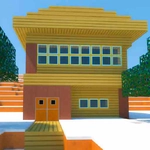
📝Winter Craft Overview
Grab your pickaxe and start punching snow-covered blocks in this chilly Minecraft-style sandbox.
💬What is Winter Craft?
Okay, so Winter Craft is basically Minecraft with a permanent snow day. You spawn into a blocky landscape where every surface is dusted white, and the only tools you have are your mouse buttons. Right click drops a block wherever you're aiming. Left click punches one out. It sounds simple, but once you start carving a hillside or stacking cubes into a shelter, the hours slip away.
What surprised me was how satisfying the placing feels. There's no animation lag; you click and the block snaps into place with a soft thud. And the inventory system (hit E) is straightforward — you cycle through a handful of block types, from wood planks to what looks like packed ice. I spent a good twenty minutes trying to build an igloo before I realized the roof needed to be hollow or I'd trap myself inside. That's the kind of dumb fun this game encourages.
Don't expect survival mode or enemies. This is pure creative building with no health bar and no crafting recipes to memorize. It's perfect for a quick session during lunch or when you just want to zone out and build something. The winter theme keeps everything visually crisp, and the controls are responsive enough that even precise block placement feels doable.
👥How to Play Winter Craft
WASD - Movement
Right Click - Build
Left Click - Break
E - Inventory
✨Game Tips
Right-click places a block, left-click breaks one — get those straight before you accidentally delete your wall.
Press E to open the inventory and swap between wood, stone, and ice blocks on the fly.
Build a test wall first to see how blocks snap together; some types have different hitboxes.
Use the first-person camera to peek around corners before placing blocks, especially when working on interiors.
If you trap yourself, just break the block in front of you with left click — no need to restart.
Keep your blocks organized: hotbar slots are limited, so pick a palette before starting a big build.
🔧FAQ
Q: Is Winter Craft free?
A: Yes, it's completely free to play in your browser.
Q: Can I play Winter Craft on mobile?
A: It works best on desktop with a keyboard and mouse, but it may run on some mobile browsers with touch controls.
Q: Do I need to download anything to play?
A: No downloads needed. It runs directly in your browser as an HTML5 game.
Q: What are the controls?
A: Use WASD to move, right-click to build, left-click to break, and E to open your inventory.
Q: Can I save my builds?
A: There's no save feature in this simple version, so your world resets when you refresh or close the tab.
Q: Is Winter Craft multiplayer?
A: No, it's a single-player sandbox experience with no online multiplayer.