
Woodturning 3D
Play Count0
Published2022-03-10
Supported DevicesPC + Mobile
CategoryAdventure & RPG
Rating★★★★★5.0Rate this game
📝Woodturning 3D Overview
Shape rough logs into gleaming works of art in Woodturning 3D, where steady hands and sharp tools turn timber into treasure.
💬What is Woodturning 3D?
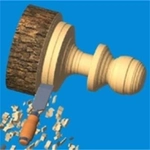
Woodturning 3D nails the oddly hypnotic rhythm of running a lathe. You spin a rough log, drag a chisel against the grain, and watch curls of wood peel away like butter. That first moment when a wonky block turns into a symmetrical bowl is genuinely rewarding. I found myself leaning closer to the screen, making tiny micro-adjustments just to shave off one more millimeter. The physics feel fair: press too hard and you gouge the piece, too light and you're sanding for ages. There's a real skill curve hiding under the relaxing veneer.
Each project gives you a target shape to match, shown as a faint outline over the spinning wood. Your job is to carve away everything outside that line. Sounds simple until you hit a vase with a narrow neck and realize one aggressive swipe can ruin ten minutes of careful work. Then you get to paint it, pick a finish, and sell it for cash that unlocks new tools and tougher projects. The loop is tight: carve, finish, sell, repeat. Some pieces let you experiment with color combos, which adds a weird crafty joy.
On mobile it's touch, on desktop it's mouse drag. No timer, no pressure—unless you're like me and restart a piece because the lip wasn't perfectly even. That's the kind of low-stakes perfectionism the game encourages. If you've ever watched woodworking videos and thought 'I could do that', here's your chance to prove it without sawdust in your hair.
👥How to Play Woodturning 3D
Mouse or tap
✨Game Tips
Follow the ghost outline closely: carve just outside it, then sand the final millimeter.
Keep the chisel moving along the wood to avoid burn marks or deep grooves.
Use the coin upgrades early on a sharper chisel; it makes thin necks way less frustrating.
Paint your piece before selling—finished items fetch a noticeably higher price.
If the wood starts vibrating, ease off. You're pressing too hard.
For vases, hollow out the center in small passes instead of one deep plunge.
🔧FAQ
Q: Is Woodturning 3D free to play?
A: Yes, the full game runs free in your browser with no payment walls.
Q: Can I play Woodturning 3D on my phone?
A: Absolutely. Touch controls work smoothly on mobile browsers and tablets.
Q: Do I need to download anything to start playing?
A: No downloads required. It loads instantly as an HTML5 game on any modern browser.
Q: How do I control the carving tools?
A: Drag with your mouse or finger to move the chisel against the spinning wood. Light pressure removes less material.
Q: What happens if I carve too much off a piece?
A: You can restart the current project without penalty, so don't stress over mistakes.
Q: Are there different wood types or projects to unlock?
A: Yes, selling finished pieces earns coins that unlock new wood species, tools, and more complex shapes.