
Word Maker
Play Count0
Published2025-07-15
Supported DevicesPC + Mobile
CategoryKids & Educational
Rating★★★★★5.0Rate this game
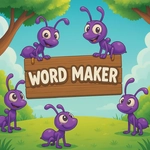
📝Word Maker Overview
Grab a scattered letter and drop it in the box — Word Maker turns spelling practice into a satisfying little puzzle you won't want to put down.
💬What is Word Maker?
You know that moment when a bunch of scattered letters suddenly click into an actual word? Word Maker lives in that moment. You're handed a pile of letters scattered across the screen. Your job? Drag each one into the box in the right order. That's it. No timers breathing down your neck, no penalties for a wrong guess. Just you, a handful of letters, and the small thrill of watching 'CAT' or 'BALL' snap into place.
I'll admit, I underestimated it at first. But after twenty minutes, I was still trying to beat my own word count. The drag-and-drop is smooth on desktop with a mouse, and on mobile it's just as easy with your finger — no fighting the interface. The game keeps the pressure low, which makes it perfect for younger kids still learning letter sounds, but there's enough satisfaction in building longer words that adults won't be bored either. The letters have a nice weight to them; when you drop one into the box and it clicks, you get that tiny dopamine hit.
If you want a break from frantic shooters or endless runners, Word Maker is a great palate cleanser. It's not pretending to be anything other than what it is: a simple, friendly spelling game that rewards patience and a good vocabulary. And honestly, that's exactly what I needed on a Tuesday afternoon.
👥How to Play Word Maker
Desktop:
Mouse Drag = Move letters into the word box
Mobile:
Touch & Drag = Move letters into the word box
✨Game Tips
Start with the first letter you're sure about, then slot the rest around it.
On touchscreens, drag slowly near the box to avoid dropping letters back where they started.
If a word doesn't click, try reading the letters out loud — your ears catch patterns your eyes miss.
Build short words first to get quick wins, then challenge yourself with longer ones.
Keep an eye on the empty slots in the box; they hint at how many letters you need.
Don't overthink — most puzzles have more than one valid answer laid out right in front of you.
🔧FAQ
Q: Is Word Maker free to play?
A: Yes, it's completely free in your browser — no hidden fees or subscriptions.
Q: Do I need to download anything to play Word Maker?
A: No downloads needed. It runs right in your browser using HTML5.
Q: Can I play Word Maker on my phone or tablet?
A: Absolutely. Touch and drag works well on mobile screens.
Q: What age group is Word Maker best for?
A: It's designed for kids learning to spell, but anyone who likes word puzzles will enjoy it.
Q: Does Word Maker have a timer or time limit?
A: No timer. You can take your time and experiment with letter order.
Q: Can I play Word Maker offline?
A: You need an internet connection to load the game, but once it's open it runs smoothly.