
Zed Car Drift
Play Count0
Published2023-02-24
Supported DevicesPC + Mobile
CategoryAdventure & RPG
Rating★★★★★5.0Rate this game
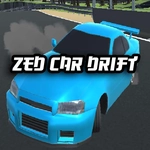
📝Zed Car Drift Overview
Grab the wheel, slam the handbrake, and hold impossible drift angles through tight corners while the city blurs past your side windows.
💬What is Zed Car Drift?
I spent way too long in Zed Car Drift just doing donuts in the parking garage before I even touched the main road. The physics have that perfect balance where the rear end swings out easily but you can still catch it with a quick counter-steer. W to gas, S to brake/reverse, A/D to steer, and space for handbrake—simple controls, but the depth comes from modulating throttle and brake mid-corner. The default camera sits behind the car, but tapping C cycles through a few angles including a cinematic chase view that makes every drift look like a replay highlight. There's no timer or score chasing you, so the fun is purely in mastering the car. The tires leave long black streaks on the asphalt, and the engine pitch climbs as you hold the drift longer. One detail I noticed: if you yank the handbrake too hard at high speed, the car snap-oversteers and spins out, which feels punishing but fair.
The car selection is basic—just a few different rides, each with slightly different handling. Press N to swap through them. The city environment is simple but open enough to find your own lines: wide boulevards, a few sharp corners near the docks, and that parking garage I mentioned. There are no AI racers or pedestrians, so it's a pure sandbox. If you like tuning your own challenges—like linking three corners without straightening out—you'll get a kick out of it. It's not a polished AAA drifting sim, but for a browser game it nails the core feel.
I kept coming back just to try the same corner over and over, shaving imaginary milliseconds off my entry speed. It's the kind of game you open for five minutes and suddenly realize an hour passed.
👥How to Play Zed Car Drift
W: Gas
S: Brake, reverse
A: Left
D: Right
Space: handbrake
N: Next car
C: Next Camera
✨Game Tips
Feather the throttle in long corners instead of holding it flat; you'll keep the drift angle without spinning.
Tap space for a quick handbrake flick, don't hold it—holding it too long kills your speed and causes snap oversteer.
Use S to brake before the corner, not during, unless you're trying to transfer weight for a tighter line.
Try the third camera angle (press C twice) for a lower, closer view that makes judging proximity to walls easier.
Got a twitchy car? Press N to cycle to something with more rear grip, which helps beginners a lot.
Counter-steer early—don't wait for the rear to step out fully, or you'll chase the slide instead of controlling it.
🔧FAQ
Q: Is Zed Car Drift free to play?
A: Yes, it's completely free in your browser with no hidden costs or paywalls.
Q: Do I need to download anything to play Zed Car Drift?
A: No downloads needed. It runs directly on any modern browser as an HTML5 game.
Q: Can I play Zed Car Drift on my phone or tablet?
A: Yes, the game works on mobile browsers, but on-screen controls may vary; a keyboard is recommended for precision drifting.
Q: What are the keyboard controls for Zed Car Drift?
A: W for gas, S for brake/reverse, A and D to steer left/right, and Space for the handbrake. Press N to change cars, C to change camera.
Q: How do I perform a proper drift in Zed Car Drift?
A: Build speed, tap the handbrake while turning, then counter-steer and gently feather the throttle to hold the slide.
Q: Are there different cars or maps in Zed Car Drift?
A: You can cycle through a few cars with N, each with slightly different grip. The map is one open city area with various corners to practice on.