
Zig Zag Switch Color
Play Count0
Published2022-03-04
Supported DevicesPC
CategoryAdventure & RPG
Rating★★★★★5.0Rate this game
📝Zig Zag Switch Color Overview
One wrong tap sends your orb crashing into a mismatched color — how far can you ride the zigzag before your luck runs out?
💬What is Zig Zag Switch Color?
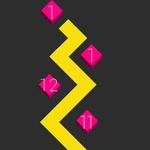
Zig Zag Switch Color looks deceptively calm for about four seconds. You're a small glowing orb rolling along a thin zigzag path, and every corner demands a quick tap to keep from sailing off the edge. That part is familiar. Then the path starts changing colors, and your orb can only pass through segments that match its current shade. Clicking doesn't just turn you — it cycles your color, which means you're constantly juggling two decisions with one button. I've lost plenty of runs because I turned perfectly but forgot to switch to red before touching the next tile.
The beauty is in the panic. You'll hit a rhythm on the straight teal stretches, then the camera tilts and the next four segments are magenta, gold, and cyan with barely a pixel of breathing room. Your thumb (or mouse finger) starts tapping ahead of your brain, and that's when the game gets good. One thing I noticed after a dozen attempts: the hitbox on the corners is forgiving if you click early, but waiting until the last millisecond usually clips the edge. There's a tiny flash of particles when you just barely survive, and it's weirdly satisfying.
It's not a long story adventure despite the label — it's a pure reflex score-chaser with a color-matching twist. Each run takes under a minute until you learn the pattern, then you'll chase a new best for the next hour. Mouse or keyboard both work; I preferred the spacebar for less accidental clicks. If you like games that make your hand sweat while your brain screams 'click click click,' this one earns its place on an unblocked games list.
👥How to Play Zig Zag Switch Color
Mouse or Keyboard
✨Game Tips
Tap just before the orb reaches a corner rather than right on it — the turn registers slightly late.
Focus on matching the next segment's color at the same moment you turn; don't treat them as separate actions.
Use the spacebar instead of mouse clicks if you have a twitchy hand; accidental clicks end runs fast.
When the path speeds up, stop looking at your orb and watch the upcoming tile colors instead.
If you're on a long same-color stretch, you can sometimes skip a click and stay straight, but only if the path doesn't curve.
Restart quickly after a death — the first few seconds of each run have the easiest pattern to build momentum.
🔧FAQ
Q: Is Zig Zag Switch Color free to play?
A: Yeah, it's completely free in the browser — no paywalls or hidden fees.
Q: Do I need to download anything to start playing?
A: Nope. It runs on HTML5, so just open the game page and you're rolling.
Q: Can I play Zig Zag Switch Color on my phone?
A: Yes, the game works on mobile browsers with touch controls. Tap the screen instead of clicking.
Q: What are the controls for Zig Zag Switch Color?
A: Use the mouse click or press the spacebar to turn and switch color. That's the only input you need.
Q: Is there a way to pause or save my high score?
A: The game tracks your best score locally in your browser. Closing the tab resets your current run but keeps the record.
Q: Why won't my orb pass through a segment even when I click?
A: You probably clicked too late or your color didn't match. Click a little earlier and double-check the next tile's color.