
Zombie Drive
Play Count0
Published2021-04-07
Supported DevicesPC
CategoryAdventure & RPG
Rating★★★★★5.0Rate this game
📝Zombie Drive Overview
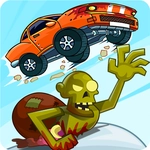
Plow through hordes of shambling corpses in a beat-up car, scraping through each level as the undead claw at your doors.
💬What is Zombie Drive?
If you've ever wanted to turn a rusty sedan into a zombie blender, Zombie Drive scratches that itch without asking for your spare tire budget. You steer with big on-screen movement buttons—left, right, gas, brake—through a 3D city that's gone properly sideways. The streets aren't empty; they're clogged with shambling undead who apparently don't know what a crosswalk is. Your job is simple: get to the end of each level without becoming a snack.
What surprised me is how physical the driving feels despite the mobile-style controls. You'll understeer into a lamp post, reverse off a curb and clip three zombies in a row, then realize the car's bumper is actually your best weapon. There's no delicate aiming or inventory management—just point the hood at the nearest crowd and floor it. Smashing through a tight group sends them ragdolling over the windshield, and that little crunch never gets old. But don't get cocky: some levels have narrow alleys or wrecked vehicles that'll stop you cold while the horde catches up.
Each stage pushes you to plan a rough route instead of driving in circles. Zombies come from behind dumpsters and between buildings, so you'll learn to use momentum to keep the doors clear. I kept coming back for the chaotic moments when you're nearly stuck, wheels spinning, and you manage to slither out by reversing at exactly the wrong angle. It's not a deep sim, but it's honest, bloody fun—and the sort of game you can play during a break without needing a tutorial the length of a car manual.
👥How to Play Zombie Drive
Controls :
You can use movement buttons to drive your car to pass all levels.
Good luck !
✨Game Tips
- Keep moving; stopping makes you an easy target for zombies to swarm.
- Use corners to drift and flatten groups instead of stopping to turn.
- Aim for clusters of zombies to clear paths efficiently.
- Watch your speed on narrow streets—crash into walls and you'll lose momentum.
- If you get surrounded, reverse and spin out to knock them back.
- Prioritize reaching checkpoints or the level exit over killing every zombie.
🔧FAQ
Q: Is Zombie Drive free to play?
A: Yes, it's completely free in your browser with no paywalls or subscription needed.
Q: Can I play Zombie Drive on my phone?
A: The game uses touch-friendly on-screen buttons, so mobile browsers work fine.
Q: Do I need to download or install anything?
A: No downloads—just open the page and the HTML5 game loads instantly.
Q: What's the goal in each level?
A: Drive through the zombie-filled streets and reach the designated exit point without getting swarmed.
Q: Are there different cars or upgrades?
A: The core game focuses on driving skill, so upgrades aren't the main feature—survival is.
Q: Is Zombie Drive unblocked at school?
A: It's available on unblocked games sites, but your school's network may still block it.