
Zombie Invasion
Play Count0
Published2022-02-02
Supported DevicesPC
CategoryAdventure & RPG
Rating★★★★★5.0Rate this game
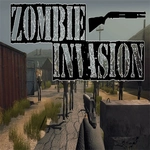
📝Zombie Invasion Overview
Grab your rifle, check every corner, and hold your ground as hordes of undead crash toward you in this intense 3D survival shooter.
💬What is Zombie Invasion?
The first time a zombie lurches out of a dark doorway, you'll feel your finger twitch on the trigger. Zombie Invasion doesn't hold your hand—it drops you into a grimy, corpse-littered map and expects you to figure out how to stay alive. Movement is WASD, which feels natural for anyone who's played PC shooters, but the real tension comes from managing your reloads. I backed into a corner once while reloading and got swarmed in seconds. Lesson learned: always know your escape route before you start shooting.
What surprised me is how the zombies don't just shamble straight at you. They come from multiple directions, and some sprint. You'll rely on L-Shift to create distance, then whip around and aim down sights (M2) to drop the fastest ones. Headshots are crucial—body shots eat ammo fast, and ammo is scarce. There's a rhythm to it: fire in bursts, sprint to a better position, reload behind cover, repeat. The sound design sells the dread; you'll hear wet footsteps before you see the zed.
For a browser game, the 3D environments feel surprisingly claustrophobic. Abandoned buildings, overturned cars, flickering lights. It's not a AAA title, but it nails that survival horror mood. One 'aha' moment: you can use doorways as choke points. Lure a horde through a single entrance and you can mow them down safely—until they break through from behind. I kept coming back to beat my wave count, which is the best praise I can give a free zombie shooter.
👥How to Play Zombie Invasion
WASD movements
R: Reloading
M1/Ctrl: Fire
M2: Aiming
L-Shift: Sprinting
✨Game Tips
Always keep moving—standing still gets you surrounded fast.
Use sprint (L-Shift) to reposition when the horde closes in.
Aim down sights (M2) for headshots; they drop zombies quicker and save ammo.
Reload before a lull, not in the middle of a swarm.
Watch your flanks; zombies often spawn behind you or from side rooms.
Fire in short bursts instead of spraying to control recoil and conserve bullets.
🔧FAQ
Q: Is Zombie Invasion free to play?
A: Yes, completely free—no hidden charges or paywalls.
Q: Can I play Zombie Invasion on mobile?
A: The game supports keyboard controls on desktop; mobile touch may not be fully optimized.
Q: Do I need to download anything?
A: No downloads or installs needed; it runs in your browser as an HTML5 game.
Q: What are the controls for Zombie Invasion?
A: WASD to move, Mouse1 or Ctrl to fire, Mouse2 to aim, R to reload, and L-Shift to sprint.
Q: Does Zombie Invasion have multiple difficulty levels?
A: The game features escalating waves; later zombies are faster and more numerous, but no manual difficulty select.
Q: Is there a multiplayer mode?
A: No, Zombie Invasion is a single-player survival experience.